Probleme mit SharePoint Online


Seit Tgen kann man Meldungen in diversen Sozialen Kanälen lesen, dass Kunden bei Speichern von Dateien in OneDrive for Business und SharePoint Online diverse Probleme haben. Ich bin bis gestern damit verschont geblieben, dann hat es mich aber auch erwischt. Für unseren MVPKaffeeklatsch tauschen Raphael Köllner und ich Dateien aus. Ich habe dazu über “mit mir geteilt” den Ordner auch lokal synchronisieren lassen. Dann kann ich die fertigen Dateien nach dem Schnitt mit Camtasia einfach per Drag&Drop zu Raphael synchronisieren. Und gestern hatte ich noch andere Probleme und dann einmal ein RESET ausgeführt. Und am Abend kam es dann zur … Probleme mit SharePoint Online weiterlesen

OneDrive for Business – Add Shortcut to my files


At the beginning I didn’t know what this function would bring me, because I still belong to the generation "I work with the native apps and with the File Explorer" and don’t want to switch to the browser all the time. Because while I’m writing this blog post, I have 23 tabs of content open. But maybe it’s "Old fashioned". If someone shares a folder with me, I find this folder in OneDrive for Business under "Shared" and after the click I find it under "Shared with me".  So that I don’t have to search here all the time, in … OneDrive for Business – Add Shortcut to my files weiterlesen

OneDrive for Business – Zu OneDrive hinzufügen


Mir war am Anfang nicht klar, was mir diese Funktion bringen würde, denn ich gehöre noch zur Generation “Ich arbeite mit den nativen Apps und mit dem File Explorer” und möchte nicht immer zum Browser wechseln. Denn da habe ich, währen ich diesen Blog Post schreibe, 23 Tabs mit Inhalten offen. Aber vielleicht sehe ich das “Old fashioned”. Wenn mir jemand einen Ordner teilt, finde ich diesen Ordner unter OneDrive for Business unter “Geteilt” und nach dem Klick dann unter “Mit mir geteilt”.  Damit ich hier nicht immer suchen muss, habe ich in Zukunft die Möglichkeit, diesen Ordner mit einem … OneDrive for Business – Zu OneDrive hinzufügen weiterlesen

Microsoft 365 Virtual Marathon – Aufzeichnungen verfügbar


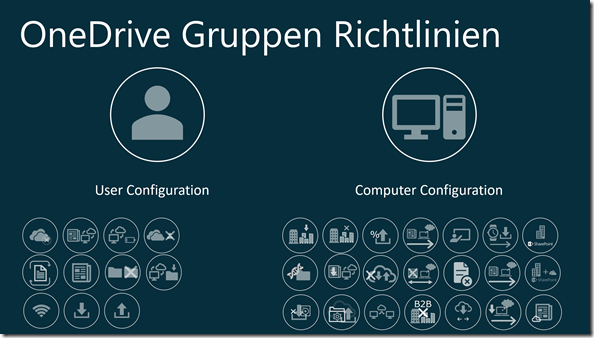
Jetzt sind meine fünf Vorträge vom Microsoft 365 Virtual Marathon komplett auf Youtube verfügbar. Now all my five sessions from Microsoft 365 Virtual Marathon are available on YouTube. Die Cloud in meinr Handtasche The Cloud in my Handbag Mr.OneDrive’s BOT OneDrive Gruppenrichtlinien – Nicht nur für Konzerne OneDrive Group Policies – not only for the Enterprise viel Spass beim Reinschauen – Have fun with the Sessions Microsoft 365 Virtual Marathon – Aufzeichnungen verfügbar weiterlesen

4 MVP’s talking about tech Insides of Mr. OneDrive BOT


Four Microsoft MVPs Rick van Rousselt, Albert-Jan Schot, Thomy Gölles and Stephan Bisser are talking 30 Minutes about Mr.OneDrive Bot tech insides.  You want to learn a bit? They talked about the BOT technology, Building the QnAMaker Knowledge Base in different languages, why german language is not the the best for translation, why Exvcel is not the right tool for a knowledge base,and at least some tricks and hints with qnamaker and Teams. Here you may start to listen or better to show the recording So until 1st of July 2020 you still may have a chance, to get the … 4 MVP’s talking about tech Insides of Mr. OneDrive BOT weiterlesen

New feature: OneDrive Sync Version history


During my daily workshops I have spoken, the Windows Explorer (Apple Finder)is the presentation layer of SharePoint. But only one dimension. Because  you only see the latest  Version of your document. And you do not have a chance to see in the past. You have to open the document (and if it is Word, Excel or PowerPoint) you may activate the history pane and open an old version of the document to compare. Another way was to switch to a browser, and look there for the history information. But the times have been changed. Microsoft published the information, that this … New feature: OneDrive Sync Version history weiterlesen

Neues Feature: OneDrive Sync Version history


Während meiner täglichen Workshops habe ich darüber gesprochen, ist der Windows Explorer (Apple Finder) die Präsentationsebene von SharePoint. Aber nur eine Dimension. Weil Sie nur die neueste Version Ihres Dokuments sehen. Und Sie haben keine Möglichkeit gehabt, in der Vergangenheit zu sehen. Sie müssen das Dokument öffnen (und wenn es sich um Word, Excel oder PowerPoint handelt), können Sie den Verlaufsbereich aktivieren und eine alte Version des Dokuments zum Vergleichen öffnen. Eine andere Möglichkeit bestand darin, zu einem Browser zu wechseln und dort nach Verlaufsinformationen zu suchen. Aber die Zeiten haben sich geändert. Microsoft hat die Information veröffentlicht, dass diese … Neues Feature: OneDrive Sync Version history weiterlesen

European Collaboration Summit 2020


150 speakers from 24 countries, 150 Sessions, 30 Microsoft well know Speakers from Microsoft Corporation, 104 MVPs, 13 Reginal Directors, 7 Certified Masters and 50 new Speakers. Wow The biggest Community event in Europe. in Wiesbaden. 08-10 June 2020. And I’m speak there. About OneDrive, what else. B2B Sync – The surpreme discipline of synchronization Interested? Reserve your spot and register now, Cu you there in June? European Collaboration Summit 2020 weiterlesen

mbuf Jahreskongress 2020 in Karlsruhe


Für mich ist es bereits das dritte Mal. Und zum zweiten Mal auf dem Messegelände in Karlsruhe. Der Jahreskongress der mbuf. Am 12.&13.5.2020. Dieses Jahr werde ich am zweiten Tag die Königsdisziplin der Synchronisation mit OneDrive vorstellen. B2B Sync. Die Königsdiziplin der Synchronisation mit OneDrive Also ein bisschen Azure, PowerShell, SharePoint Online und Synchronisation. Mit Live Demo. Also schon einmal im Kalender die Tage reservieren. Demnächst gibt es dann das komplette Programm des mbuf Jahreskongress 2020. Man sieht sich dort? mbuf Jahreskongress 2020 in Karlsruhe weiterlesen

Collab365 GlobalCon1| 2nd–6th of March – Online


A big conference week from 2nd to 6th of March. You do not have time or money for a journey? Don’t worry. It’s an online conference. If you want to see some sessions? Please register here right now. I’m speaking about OneDrive, SharePoint and external organizations, have a demo in Azure, using PowerShell… Collab365 GlobalCon1| 2nd–6th of March – Online weiterlesen

SharePoint & Office 365 Saturday Warsaw 2020


Its not only a SharePoint Saturday. It’s a combination of SharePoint and Office 365. And it will be start on 4th of April 2020. So it’s a good idea, to attend this event. Don’t hesitate to register now. Oh yes, I forgot: I’m also attend this event an will speak (most for the ladies) about The Cloud in my handbag   For the men, who have no handbag with them: I will sign my autograph cards. So no reason, not to register and attend my session. Mr.OneDrive is in town! Cu you there? SharePoint & Office 365 Saturday Warsaw 2020 weiterlesen

SharePoint Saturday Bremen am 29.02.2020


Eigentlich muss es SharePoimnt Saturday North Germeny/Bremen 2020 lauten, der mittlerweile zum 3. Mal stattfindet. Und der eigentlich am Freitag beginnt. Mit Workshops. Damit haben sich in Deutschland mit Bremen, Köln und München drei Städzte etabliert, die längst nicht mehr nur das Thema SharePoint abdecken, sondern alle Facetten von Office 365 beleuchten. Mein Thema wird dieses Jahr in Bremen OneDrive Group Policies – Not only for The Enterprise lauten. Dies ist ein Thema, welches ich zum ersten Mal in Orlando auf der Ignite 2019 bei Mirosoft zeigen durfte. jetzt heißt es also registrieren und in meine Session kommen, damit Ihr … SharePoint Saturday Bremen am 29.02.2020 weiterlesen

OneDrive Quiz | Frage #02 – Question #2


Now it’s time for question 2  – Es wird Zeit für die 2. Frage.   Question #02 – Frage #02 For each SharePoint Online document library, the Versioning property is turned on by default. Why should the administrator NOT turn off versioning? Bei jeder SharePoint Online Dokumentenbibliothek ist die Eigenschaft „Versionierung“ standardmäßig eingeschaltet. Warum sollte der Administrator die Versionierung nicht ausschalten?   Answer A – Antwort A If ransomware encrypts all files on a computer, they can be restored. To do this, the user uses the self-service portal for restoration. Verschlüsselt Ransomware bei einem Rechner alle Dateien, können diese widerhergestellt … OneDrive Quiz | Frage #02 – Question #2 weiterlesen

OneDrive Quiz | Answer #01


The first round is over. And on the various Socila Media channels I have received countless answers. Some wrote that the question had not been formulated exactly. That’s right. But like this or similar, I get questions via Twitter, Facebook, LinkedIn or email. Here again the question and the choice of answers Question #01 A File, which is synchronizing with OneDrive for Business, will be selected by a User in Windows Explorer and deleted with SHIFT-DEL. Is this File lost forever? Answer A The file can be recovered from the recycle bin of the computer Answer B The file can … OneDrive Quiz | Answer #01 weiterlesen

OneDrive Quiz | Antwort #01


Die erste Runde ist vorbei. Und auf den verschiedenen Socila Media Kanälen habe ich unzählige Antworten erhalten. Einige habe geschrieben, die Frage sei nicht exakt fomuliert worden. Das ist richtig. Aber so oder ähnlich erhalte ich Fragen per Twitter, Facebook, LinkedIn oder per EMail. Hier nochmals die Frage und die Auswahl der Antworten Frage #01 Eine Datei, welche in OneDrive for Business synchronisiert wird, wird von einem Benutzer im Windows Explorer selektiert und mit SHIFT-DEL gelöscht. Ist die Datei jetzt unwiderruflich verloren? Antwort A Die Datei kann aus dem Papierkorb des Rechners wiederhergestellt werden. Antwort B Die Datei kann nur … OneDrive Quiz | Antwort #01 weiterlesen

Microsoft Ignite The Tour | first stop Paris


Next Week many people are in Orlando for one week. Between 4th and 8th of November 2019 Microsoft has invited and many attendees flying to Florida. So in Orlando I have Two sessions.  But do you know, that Microsoft Ignite is going on Tour ? This is called Microsoft Ignite The Tour 30 cities around the world, and first stop is Paris, one week after Microsoft Ignite in Florida. So I’m prod that I also speak in Paris. I have 2 OneDrive Sessions:   More Value: B2B Sync with OneDrive More and more companies are in the Cloud or going … Microsoft Ignite The Tour | first stop Paris weiterlesen

I’m speaking at #ESPC19!


The countdown is on to the European SharePoint, Office 365 & Azure Conference – just 7 weeks to go! Join me on Wednesday 4th of December for my session “Intelligent Acceleration of Daily Work with OneDrive” OneDrive is more than a client for synchronization with the cloud. The daily work in the team and with external people can be significantly accelerated with OneDrive, if we are familiar with the specifics of OneDrive. The talk explains the basic principles of OneDrive, explains features such as Files On Demand, Share and History, and demonstrates in practical demos how the intelligence of SharePoint … I’m speaking at #ESPC19! weiterlesen

Bug: Configure Team site libraries to sync automatically


Wer derzeit eine Team site library automatisch per Gruppenrichtlinie ausrollen möchte, wird bei der Konfiguration beim Ermitteln der eindeutigen ID , bestehend TenantID+WebID+ListID+WebUrl auf ein Problem stoßen, weil beim Klicken auf die Share-Funktion als SharePoint Online Administrator das PopUp Fenster den Link nicht anzeigt. Das liegt nicht am Browser und ich habe Microsoft darüber informiert. Der Bug wurde bestätigt und die korrigierte Version wird derzeit wieder auf alle Tenants wieder ausgerollt. Das Ganze kann aber noch eine Weile dauern. Workaround: Natürlich lässt sich dieser Wert auf per PowerShell ermitteln und die einzelnen Werte per String-Manipulation auf einen einzelnen String „umbauen“: … Bug: Configure Team site libraries to sync automatically weiterlesen

OneDrive: Neue Gruppenrichtlinien u. Definitionen 19.152.0801.0004


Mit der OneDrive Insider version 19.152.0801.0004 hat Microsoft auch eine neue Version der Gruppenrichtlinien veröffentlicht: Die zu OneDrive gehörenden Gruppenrichtlinien (AMD + ADMX) Dateien findet man unter %localappdata%\Microsoft\OneDrive\BuildNumber\adm\ und dort auch in den 17 verschiednen Sprachen. Hier einen Überblick über meine veröffentlichten Blog Posts zu Gruppenrichtlinen Neue Gruppenrichtlinien sind rot gekennzeichnet. Datum 18.06.19 OneDrive: Neue Gruppenrichtlinien u Definitionen 19.103.0527.0002 11.02.19 OneDrive: Neue Gruppenrichtlinien u. Definitionen 19.002.0107.0008 Die Links verweisen auf die US Seiten von docs.microsoft.com, weil die deutschen Seiten nicht korrekt sind. So wurden die Namen der Gruppenrichtlinien einfach übersetzt von den US-Seiten, was falsch ist, weil das Gruppenrichtlinien-Team bei … OneDrive: Neue Gruppenrichtlinien u. Definitionen 19.152.0801.0004 weiterlesen

2nd half of 2019 – 2. Halbjahr 2019


Many people all over the world ask me abou social media channels, where  they can meet me. No, not such big Stadium events, but anyway… Ich werde immer wieder über Sozial Media Kanäle gefragt, wo man mich als nächstes “live” sehen kann. Gut, noch sind es keine Stadion-Veranstaltungen, aber was noch nicht ist, kann ja noch werden. Here my dates about the 2nd half of 2019. Und hier meine Daten für das 2.Halbjahr 2019: After Vacation I start in Geldsenkirchen, where You will meet me at OfficeCamp 2019 in Gelsenkirchen. Das zweite Halbjahr nach der Ferienzeit beginnt mit dem OfficeCamp … 2nd half of 2019 – 2. Halbjahr 2019 weiterlesen