
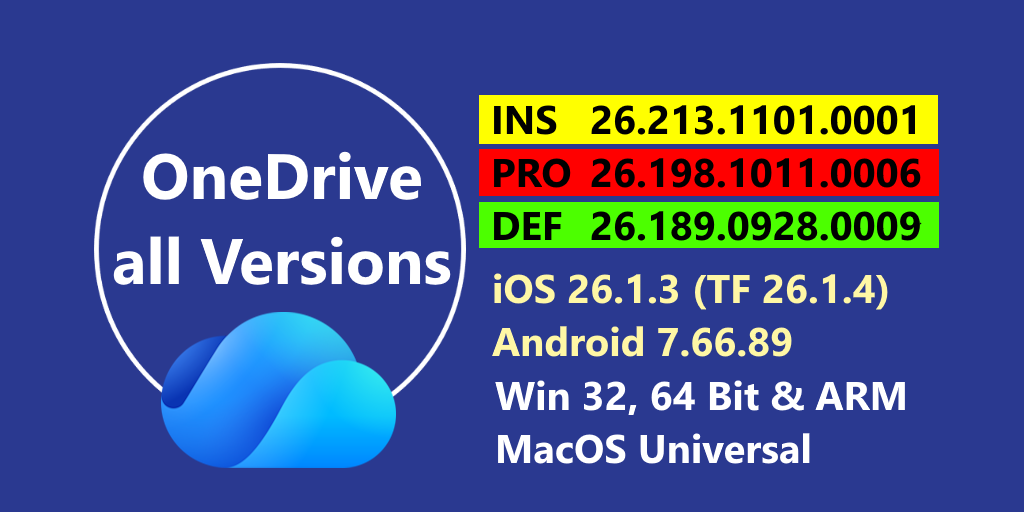
Currently we have 26.213.1101.0001 in the Insider Ring and 26.198.1011.0006 in the Production Ring. Also available 26.189.0928.0009 in the Deferred Ring.
All Versions in the Production/Deferred Ring have additional informations for Windows and Mac here in our Remarks page
Important
If you’re not getting the latest updates automatically, check that you don’t have any Family Safety settings, browser extensions, or firewall rules that are blocking access to OneDrive’s „oneclient.sfx.ms“ and „g.live.com“ domains.
Important
The OneDrive sync app requires Windows 10 22H2 or Windows 11 to receive updates. After August 15, 2026, devices running earlier versions of Windows 10 will remain on their currently installed version and will not receive new releases listed on this page. For details, see OneDrive system requirements.
Windows News
- Microsoft resolved product issues to improve the reliability and performance of the OneDrive sync app.
- Copy links from Activity Center: Users can now copy a link to a file directly from the per-item menu for recently synced files in the OneDrive Activity Center. (Version 26.150.0804.0010)
- Browse your photos in OneDrive: OneDrive now brings the photos experience from OneDrive on the web and mobile to your desktop, so you can browse, search, and organize photos from your OneDrive and your PC in one place. Available for personal Microsoft accounts. Select View photos in the OneDrive activity center to open it. Learn more (Version 26.123.0628.0001)
- Improved max path handling for OneDrive shortcuts: OneDrive now uses the correct root path when checking Folder Shortcuts against the maximum path length, so fewer files are incorrectly flagged as exceeding the limit. (Version 26.119.0622.0003)
- Clearer sync status messages: OneDrive sync status messages in File Explorer, the Windows notification area, and the OneDrive Activity Center are now clearer and more consistent. We removed outdated status strings and refreshed key states, so „Your files are synced“ and „Up to date“ now read „Backed up and synced.“ (Version 26.074.0420.0001)
- Move folders to OneDrive from File Explorer: Right-click any folder in File Explorer to move it directly to OneDrive, making it easier to back up and sync local folders. (Version 26.045.0308.0003)
Mac News
- Microsoft resolved product issues to improve the reliability and performance of the OneDrive sync app.
- Native Sync Engine: Files and folders are immediately browsable in Finder without waiting for folder contents to load. Syncing is faster and more reliable while using less CPU, memory, and battery. Files On-Demand remains unchanged: online-only files stay online until opened or marked as Always Keep on This Device. Learn more (Version 26.189.0928.0007)
- Search files in OneDrive Activity Center and Spotlight: Find locally available and online-only OneDrive files by name or keyword. Eligible personal accounts can also find photos by describing what they show. View results as thumbnails and filter by file type. On macOS 26 or later, type OneDrive in Spotlight, press Tab, and enter a search term. (Version 26.189.0928.0007)
- Manage login item registration via command line: Administrators can register or unregister the OneDrive login item using command-line arguments, enabling programmatic control over auto-start behavior on managed devices. Learn more (Version 26.032.0217.0003)
- Redesigned Activity Center: The Activity Center has been rebuilt in SwiftUI with a streamlined interface showing sync status, a compact activity feed with thumbnail previews, and one-click access to errors. On macOS 26 and later, it supports Liquid Glass. Learn more (Version 26.017.0126.0002)
- Copilot Actions in Finder and OneDrive Activity Center: Users with a Microsoft 365 Copilot license, or a Microsoft 365 Personal, Family, or Premium subscription, can now use Copilot in Finder and the OneDrive Activity Center to summarize documents, generate FAQs, compare files, or get answers about their files saved in OneDrive. (Version 26.007.0112.0002)
iOS / iPadOS News
- Microsoft has released OneDrive version 26.1.3, which works exclusively on iOS version 26.1.4 or later (TestFlight).
- Microsoft has released version 18.12.3, and version 18.12.3 is currently available on TestFlight; both are available exclusively for iOS/iPadOS (18 or 26).
This page contains all versions since the last update.
[Update 11/03/26]
| Insider Version | Produktion Version[ |
| 26.194.1005.0001 10/05 26.195.1006.0001 10/06 26.197.1008.0001 10/08 26.198.1011.0001 10/11 26.199.1012.0001 10/12 26.200.1013.0001 10/13 26.201.1014.0001 10/14 26.202.1015.0001 10/15 26.203.1018.0001 10/18 26.206.1021.0001 10/21 26.210.1027.0001 10/27 26.212.1029.0001 10/29 26.213.1101.0001 11/01 | 26.173.0906.0008 10/03 26.178.0913.0007 10/10 26.183.0920.0005 10/09 26.189.0928.0007 10/16 26.189.0928.0009 10/23 26.195.1006.0007 10/23 26.198.1011.0006 10/30 |
You can download all OneDrive versions for testing.
The tables include Versions for
Entdecke mehr von Hans Brender's Blog
Melde dich für ein Abonnement an, um die neuesten Beiträge per E-Mail zu erhalten.


