
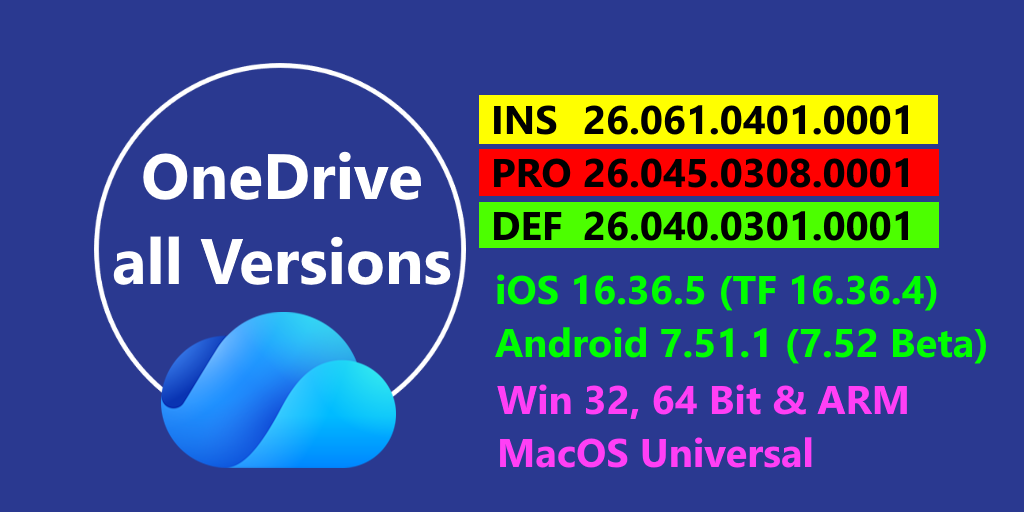
Currently we have 26.061.0401.0001 in the Insider Ring and 26.045.0308.0001 in the Production Ring. Also available 26.040.0301.0001 in the Deferred Ring.
Now all Versions in the Production/Deferred Ring have additional informations for Windows and Mac here in our Remarks page
Windows
- Microsoft resolved product issues to improve the reliability and performance of the OneDrive sync app.
- Move folders to OneDrive from File Explorer: Right-click any folder in File Explorer to move it directly to OneDrive, making it easier to back up and sync local folders. (Version 26.045.0308.0001)
- Improved First Run Experience: The OneDrive first-run setup experience has been rebuilt with a modern, streamlined interface for faster and simpler account configuration. (Version 26.032.0217.0003)
- Custom OneDrive folder name: Administrators can now set a custom name for the local OneDrive sync folder on users‘ computers, replacing the default „OneDrive – {organization name}“ convention. Shortening the folder name increases available path length for nested files and folders. Learn more (Version 26.032.0217.0003)
- Mark of the Web for Outlook attachments: Email attachments saved to OneDrive from Outlook now include the Mark of the Web (MOTW) security tag, ensuring Windows security features like Protected View apply when these files are opened. (Version 26.002.0105.0001)
- OneDrive Sync Health Dashboard for Government Clouds: The OneDrive Sync health dashboard now supports GCC, GCC High, and DoD environments, enabling administrators to proactively monitor sync health, identify issues, and streamline support operations. (Version 25.199.1012.0002)
Mac
- Microsoft resolved product issues to improve the reliability and performance of the OneDrive sync app.
- Redesigned Activity Center: The Activity Center has been rebuilt in SwiftUI with a streamlined interface showing sync status, a compact activity feed with thumbnail previews, and one-click access to errors. On macOS 26 and later, it supports Liquid Glass. Learn more (Version 26.017.0126.0002)
- Copilot Actions in Finder and OneDrive Activity Center: Users with a Microsoft 365 Copilot license, or a Microsoft 365 Personal, Family, or Premium subscription, can now use Copilot in Finder and the OneDrive Activity Center to summarize documents, generate FAQs, compare files, or get answers about their files saved in OneDrive. (Version 26.007.0112.0002)
- Native macOS dialogs: OneDrive dialogs and alerts now use native macOS system controls, providing a more familiar look and feel that aligns with other macOS applications. (Version 25.243.1211.0001)
- OneDrive Sync Health Dashboard for Government Clouds: The OneDrive Sync health dashboard now supports GCC, GCC High, and DoD environments, enabling administrators to proactively monitor sync health, identify issues, and streamline support operations. (Version 25.199.1012.0002)
- SharePoint Server Subscription Edition Version 23H2 Support with OIDC Authentication: OneDrive Sync now supports SharePoint Server Subscription Edition Version 23H2 with OIDC authentication using Entra ID, enabling modern authentication for on-premises SharePoint environments. (Version 25.189.0928.0002)
iOS / iPadOS
- Microsoft would like to inform her users know that they are planning on dropping support foMicrosoft would like to inform her users know that they are planning on dropping support for the OneDrive app on iOS 17 and iPadOS17 versions soon.
- Please ensure you/re on one of the later versions of iOS/iPadOS (18 or 26) to make sure you/re still able to access the latest version of the OneDrive app.
This page contains all versions since the last update.
[Update 4/3/26]
| Insider Version | Produktion Version[ |
| 26.041.0302.0001 03/02 26.042.0303.0001 03/03 26.043.0304.0001 03/04 26.044.0305.0001 03/05 26.045.0308.0001 03/08 26.046.0309.0001 03/09 26.047.0310.0001 03/10 26.048.0311.0001 03/11 26.049.0312.0001 03/12 26.051.0316.0001 03/16 26.052.0317.0001 03/17 26.054.0322.0001 03/22 26.055.0323.0001 03/23 26.056.0324.0001 03/24 26.057.0325.0001 03/25 26.058.0326.0001 03/26 26.059.0329.0001 03/29 26.060.0331.0001 03/31 26.061.0401.0001 04/01 | 26.022.0203.0006 03/03 26.026.0209.0004 03/05 26.032.0217.0003 03/14 26.035.0222.0002 03/28 26.040.0301.0001 04/01 26.045.0308.0001 04/02 |
You can download all OneDrive versions for testing.
The tables include Versions for
Entdecke mehr von Hans Brender's Blog
Melde dich für ein Abonnement an, um die neuesten Beiträge per E-Mail zu erhalten.

 Hans Brender's Blog
Ein Gedanke zu “The newest OneDrive Version”