
This article is the sequel to my May 2, 2025 post, which should be read first. Microsoft has made significant updates to Roadmap item 490064, including:
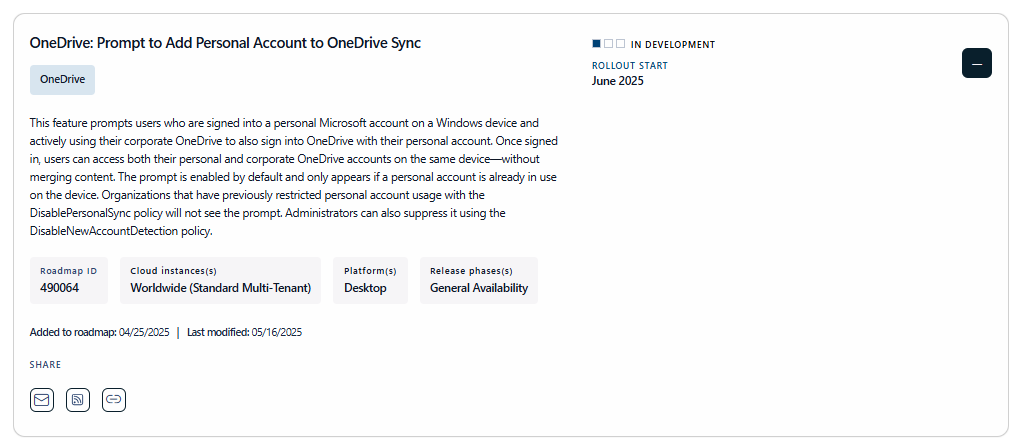
- A rollout delay by one month (now scheduled for June 2025)
- An updated and more detailed description
- A corresponding entry MC1075910 in the Microsoft 365 Message Center
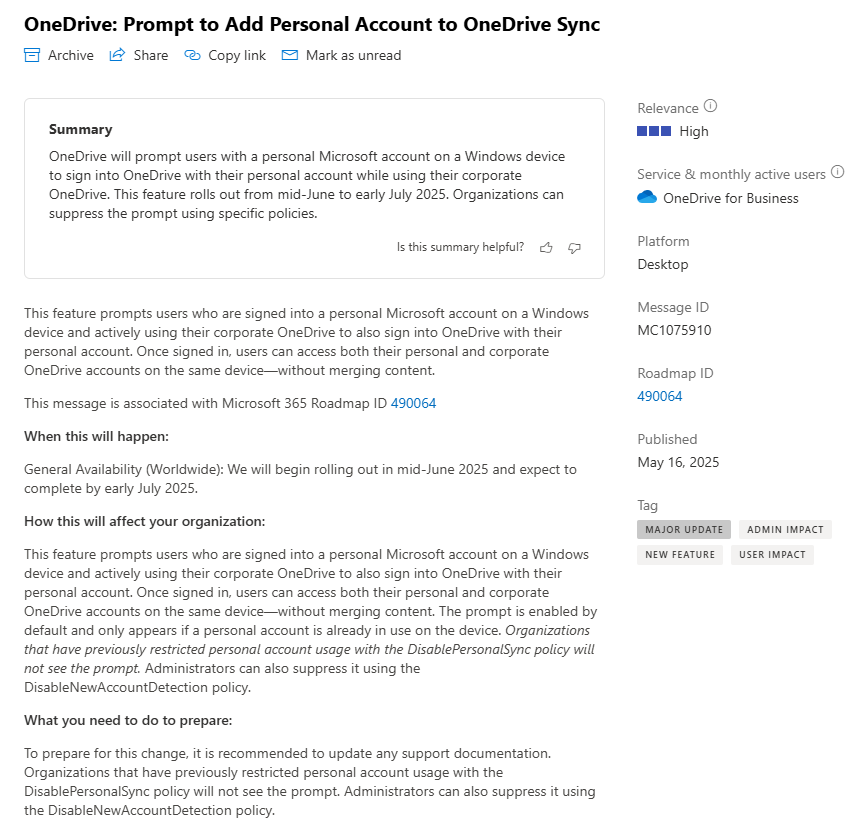
Updated Rollout Plan
General Availability (Worldwide):
Rollout will begin in mid-June 2025 and is expected to complete by early July 2025.
Updated Roadmap Description
This feature prompts users who are signed into a personal Microsoft account on a Windows device and actively using their corporate OneDrive to also sign into OneDrive with their personal account.(*1) Once signed in, users can access both their personal and corporate OneDrive accounts on the same device—without merging content.(*2)
The prompt is enabled by default and only appears if a personal account is already in use on the device. Organizations that have previously restricted personal account usage with the DisablePersonalSync policy will not see the prompt. Administrators can also suppress it using the DisableNewAccountDetection policy.
Notes:
(*1) Refers to personal accounts listed under Accounts > Email & accounts.
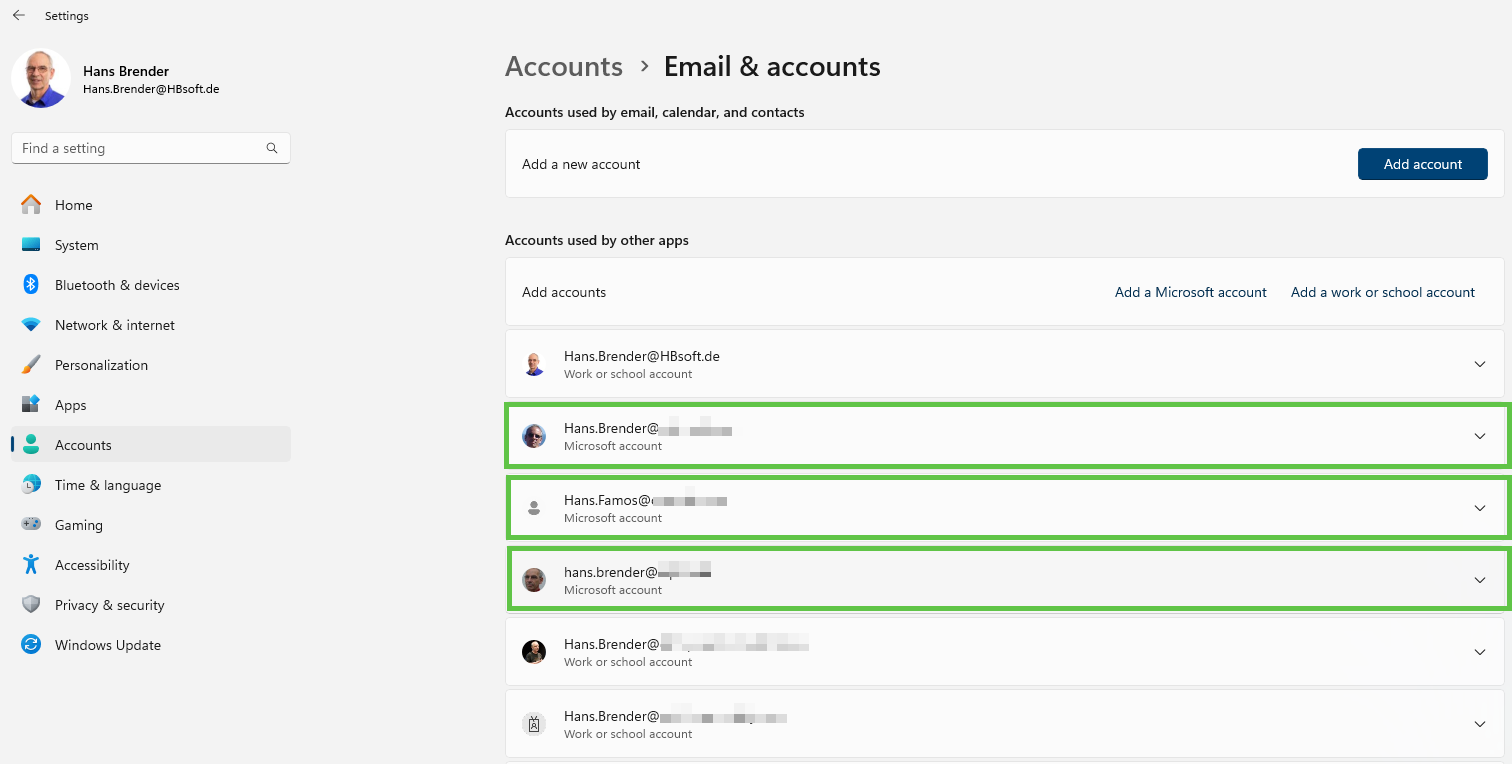
(*2) Both OneDrive accounts are shown separately in File Explorer.
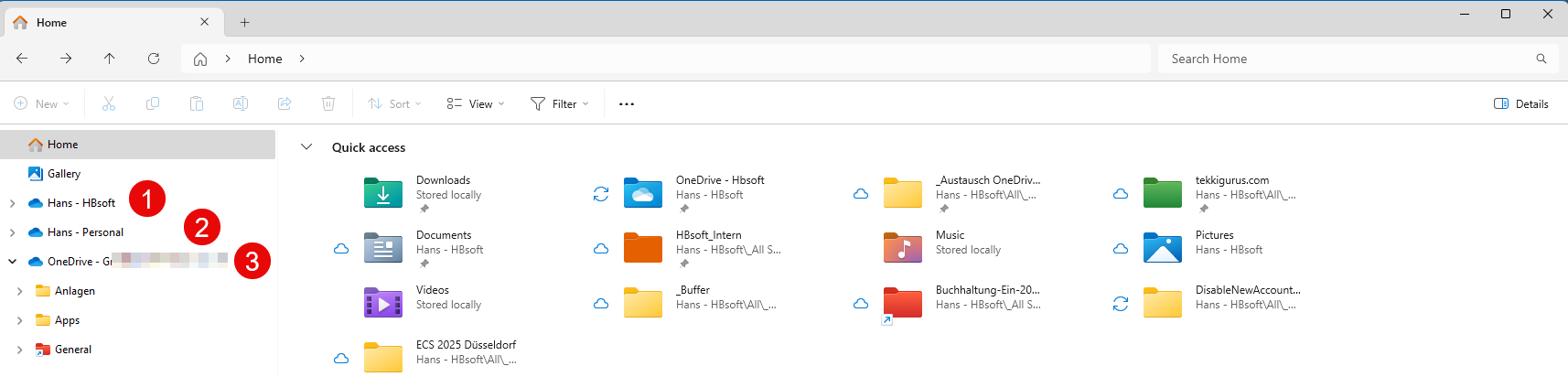
Explorer View Example
In File Explorer, you may now see:
- Your OneDrive for Business
- Your personal OneDrive
(should display a grey cloud icon like the one in the notification area) - (optional) Another OneDrive for Business (if used with a different tenant)
Can IT Still Sleep Peacefully?
The answer depends on your current policies and protections:
No Action Needed If:
- Your organization has no restrictions on OneDrive (for Business) usage.
External Sharing Disabled?
If your policy blocks external sharing, it’s clear that IT department does not want files exchanged with external users — and that does includes personal accounts.
But remember:
IT Department has no rights on you OneDrive Personal. The User is his own administrator

To secure your data, you should implement sensitivity labels.
Sensitivity & Retention Labels – E3 vs. E5
Here’s a concise breakdown of key differences for Microsoft 365 E3 and E5:
Sensitivity Labels
| Feature | E3 | E5 |
| Manual label assignment | ✅ | ✅ |
| Encryption with labels | ✅ | ✅ |
| Policy-based publishing | ✅ | ✅ |
| Integration with SPO & OneDrive | ✅ | ✅ |
| Auto-labeling | ❌ | ✅ |
| Label-based DLP | ❌ (requires DLP license) | ✅ |
| Email & Teams protection | ✅ | ✅ |
Note: E3 covers basics with manual control. E5 adds automation, AI classification, and enhanced protection.
Retention Labels
| Feature | E3 | E5 |
| Manual retention labels | ✅ | ✅ |
| Policy-based publishing | ✅ | ✅ |
| Default labels per site/library | ✅ | ✅ |
| Auto-application by conditions | ❌ | ✅ |
| Multi-stage policies & filters | ❌ | ✅ |
| eDiscovery (Core) | ✅ | ✅ |
| eDiscovery (Advanced) | ❌ | ✅ |
Note: Microsoft Purview Information Protection is required (built into E5, optional add-on for E3).
Why It Matters:
Encryption = Ultimate Protection
If implemented, sensitivity labels encrypt your content — regardless of where it’s accessed:
- OneDrive Personal
- USB drives
- Dropbox and other cloud storages
- BYOD devices
But if you lack time to implement these measures, there’s a simpler route:
Enable the GPO DisablePersonalSync before the rollout of the „OneDrive Prompt to Add Personal Account“ feature in June 2025.
Other Strong Arguments Against OneDrive Personal on Corporate Devices
File Overload Risk
- No checks are in place to prevent excessive file counts during OneDrive Personal setup
- Total limit: 300,000 files per device, across all synced libraries (max 9x OneDrive for Business + SharePoint document libraries + 1x OneDrive Personal)
- Windows 11’s Add shortcut to My files pushes this to 400,000, but requires reconfiguration
IT department Has No Visibility
IT department can’t control whether users:
- Use a free/basic 100 GB plan, or
- Have 1 TB storage via Microsoft 365 Personal or Family
Sync Conflicts and Forked Files
Adding OneDrive Personal increases sync conflicts, causes forked files, and reduces reliability during co-authoring.
[Update 05/30/25]
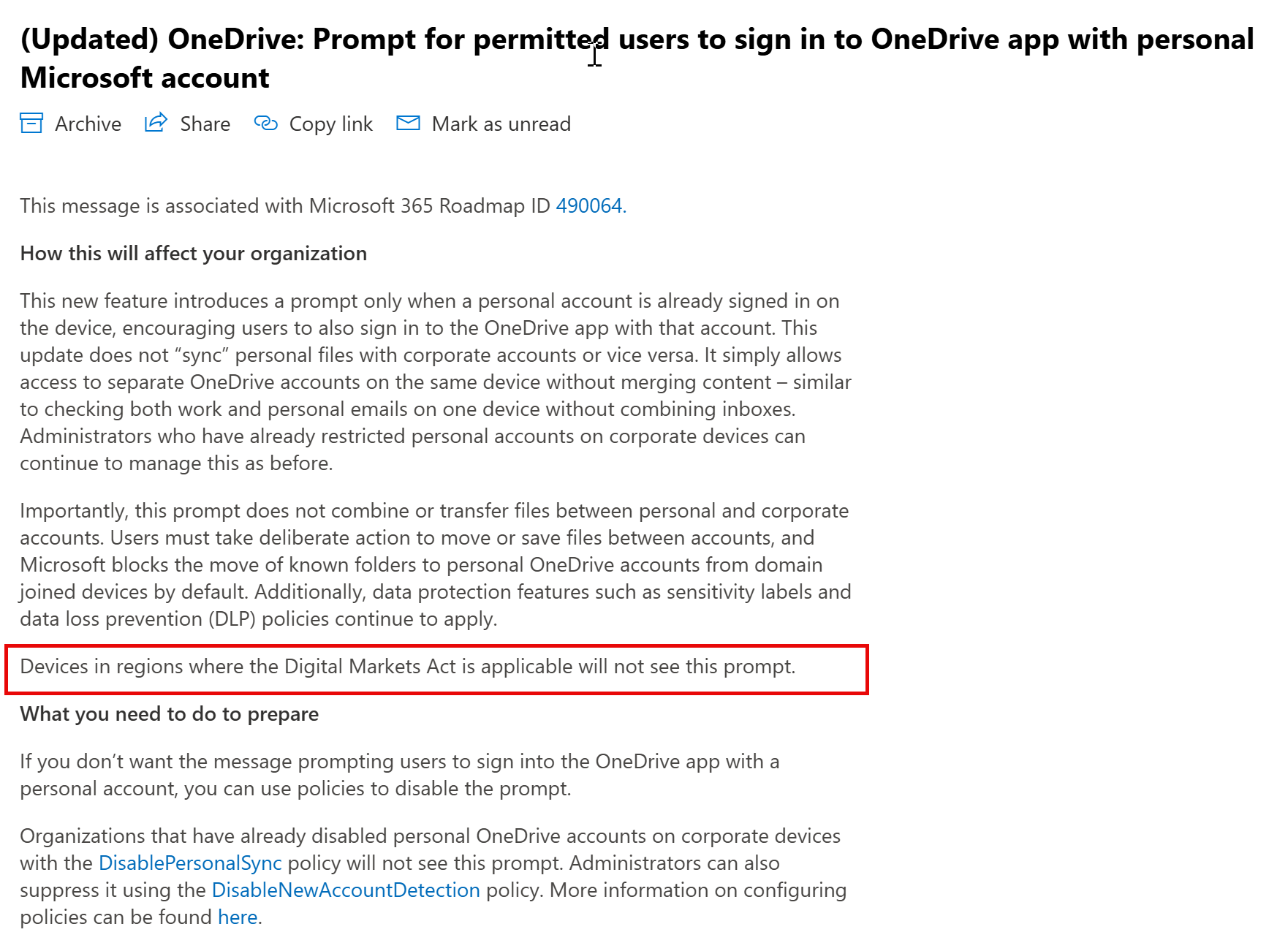
Update of The Message ID 1075910:
People in the EU will not have see the prompt, because of the Digital Markets Act.This is also valid in Iceland, Lichtenstein and Norway but NOT in Switzerland or UK
Final Thoughts
OneDrive (for Business) leaves when an employee changes jobs. (and may get a new one)
OneDrive Personal stays for life.
So ask yourself (as an adminstrator):
- Who is responsible for the problems that can occur in the business environment?
- Are you okay with losing governance Rules over potentially sensitive files?
- Are you sure that you are not violating data protection guidelines?
- What happens to personal data stored in a user’s business device in the personal OneDrive after the user leaves the company?
And for Microsoft:
Why did you make this function not dependent on the approval of the tenant administration? (Admin Opt-In)
Entdecke mehr von Hans Brender's Blog
Melde dich für ein Abonnement an, um die neuesten Beiträge per E-Mail zu erhalten.

 Hans Brender's Blog
Ein Gedanke zu “OneDrive: A Gift-Wrapped Data Leak? – Part II”