
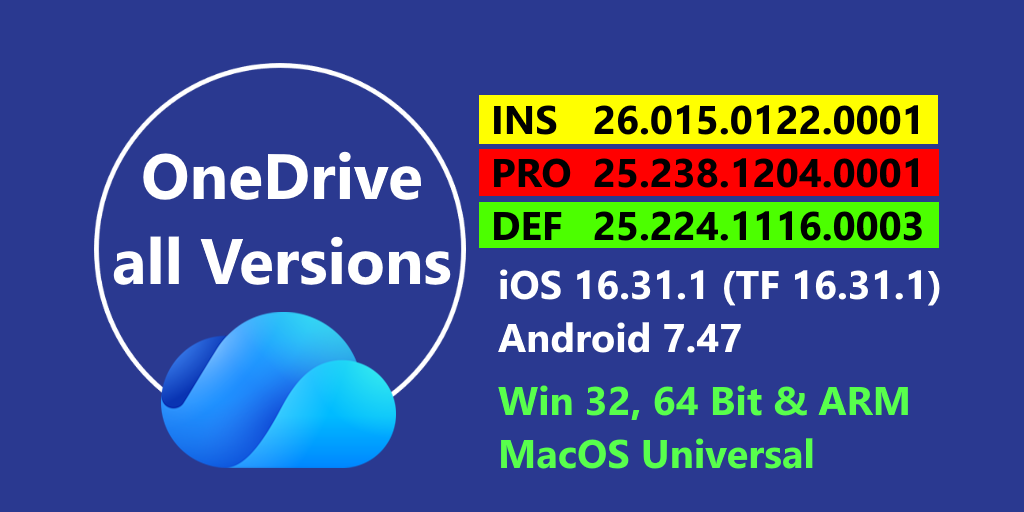
[Update] In the meantime, there is already a new blog post with newer OneDrive versions.
Currently we have 26.041.0302.0001 in the Insider Ring and 26.022.0203.0006 in the Production Ring. Also available 25.224.1116.0003in the Deferred Ring.
Windows
- Now Both Versions (Insiders 26.002.0105.0001 and Production Ring 26.002.0105.0001 are in 2026
- Microsoft resolved product issues to improve the reliability and performance of the OneDrive sync app.
- Copilot Actions in File Explorer (Commercial): Users with a Microsoft 365 Copilot license can now use Copilot in File Explorer and OneDrive Activity Center to summarize documents, generate FAQs, compare files, or get answers about their content when files are saved in OneDrive. (Version 25.194.1005.0003)
- OneDrive Sync Health Dashboard for Government Clouds: The OneDrive Sync health dashboard now supports GCC, GCC High, and DoD environments, enabling administrators to proactively monitor sync health, identify issues, and streamline support operations. (Version 25.199.1012.0002)
- SharePoint Server Subscription Edition Version 23H2 Support with OIDC Authentication: OneDrive Sync now supports SharePoint Server Subscription Edition Version 23H2 with OIDC authentication using Entra ID, enabling modern authentication for on-premises SharePoint environments. (Version 25.189.0928.0002)
- Refreshed OneDrive icon: The updated OneDrive icon introduces a cleaner, more modern look across all devices and apps. (Version 25.174.0907.0003)
- Improved Folder Backup opt-out experience: The PC Folder Backup (Known Folder Move) opt-out process is now more intuitive, letting users choose whether to keep files in OneDrive or move them back to their PC for greater clarity and control. (Version 25.170.0901.0003)
- LocalNetworkAccess Support (Commercial): Chromium v142+ requires browsers to prompt users or admins for access to OneDrive and SharePoint URLs to enable offline mode. For per-machine installations, OneDrive Sync automatically applies the required permissions and policies for existing users in Chrome and Edge. For per-user installations, OneDrive Sync prompts users via a notification to enable these permissions. (Version 25.164.0824.0003)
- OneDrive offline mode process update: On Windows, the process for offline mode is now called Microsoft OneDrive Sync Service (OneDrive.Sync.Service.exe), replacing Microsoft SharePoint (Microsoft.SharePoint.exe). The icon has also changed from SharePoint to OneDrive for improved clarity. (Version 25.149.0803.0003)
- Copilot Actions in File Explorer and OneDrive Activity Center (Personal): Users with Microsoft 365 Personal, Family, or Premium accounts can now use Copilot in File Explorer and OneDrive Activity Center to summarize documents, generate FAQs, compare files, or get answers about their content when files are saved in OneDrive. (Version 25.130.0706.0004)
Mac
- We’ve resolved product issues to improve the reliability and performance of the OneDrive sync app.
- OneDrive Sync Health Dashboard for Government Clouds: The OneDrive Sync health dashboard now supports GCC, GCC High, and DoD environments, enabling administrators to proactively monitor sync health, identify issues, and streamline support operations. (Version 25.199.1012.0002)
- SharePoint Server Subscription Edition Version 23H2 Support with OIDC Authentication: OneDrive Sync now supports SharePoint Server Subscription Edition Version 23H2 with OIDC authentication using Entra ID, enabling modern authentication for on-premises SharePoint environments. (Version 25.189.0928.0002)
- Syncing files to a removable non-home volume: OneDrive on macOS now supports selecting a removable non-home volume to store OneDrive content. Learn more. (Version 25.127.0701.0005)
- OneDrive offline mode process update: On Windows, the process for offline mode is now called Microsoft OneDrive Sync Service (OneDrive.Sync.Service.exe), replacing Microsoft SharePoint (Microsoft.SharePoint.exe). The icon has also changed from SharePoint to OneDrive for improved clarity. (Version 25.149.0803.0003)
- Refreshed OneDrive icon: The updated OneDrive icon introduces a cleaner, more modern look across all devices and apps. (Version 25.174.0907.0003)
iOS / iPadOS
- Shortcuts not visible? With Build 16.0.4, they will come back (Testflight)
- A bug in the Scan function does not have the possibilitiy to change the name of the file.
Bug has beend fixed with Version =>16.5.7
This page contains all versions since the last update.
[Update 3/3/26] [2/27/26] [2/26/26] [2/25/26] [2/24/26] [2/23/26] [2/22/26] [2/21/26] [2/18/26] [2/17/26] [2/15/26] [2/14/26] [2/13/26] [2/12/26] [2/11/26] [2/10/26] [2/7/26] [2/6/26] [2/5/26] [2/4/26] [1/31/26] [1/30/26] [1/29/26] [1/28/27] [1/27/26] [1/26/26]
| Insider Version | Produktion Version |
| 26.019.0128.0001 01/28 26.020.0129.0001 01/29 26.021.0201.0001 02/01 26.022.0203.0001 02/03 26.023.0204.0001 02/04 26.024.0205.0001 02/05 26.025.0208.0001 02/08 26.026.0209.0001 02/09 26.027.0210.0001 02/10 26.028.0211.0001 02/11 26.029.0212.0001 02/12 26.031.0216.0001 02/16 26.032.0217.0001 02/17 26.034.0219.0001 02/19 26.035.0222.0001 02/22 26.036.0223.0001 02/23 26.037.0224.0001 02/24 26.038.0225.0001 02/25 26.039.0226.0001 02/26 26.041.0302.0001 03/02 | 25.238.1204.0001 01/17 25.243.1211.0001 01/29 26.002.0105.0001 01/31 26.007.0112.0002 02/07 26.012.0119.0002 02/15 26.017.0126.0002 02/21 26.022.0203.0006 03/03 |
You can download all OneDrive versions for testing.
The tables include Versions for
Entdecke mehr von Hans Brender's Blog
Melde dich für ein Abonnement an, um die neuesten Beiträge per E-Mail zu erhalten.

 Hans Brender's Blog
Ein Gedanke zu “The newest OneDrive Version”