
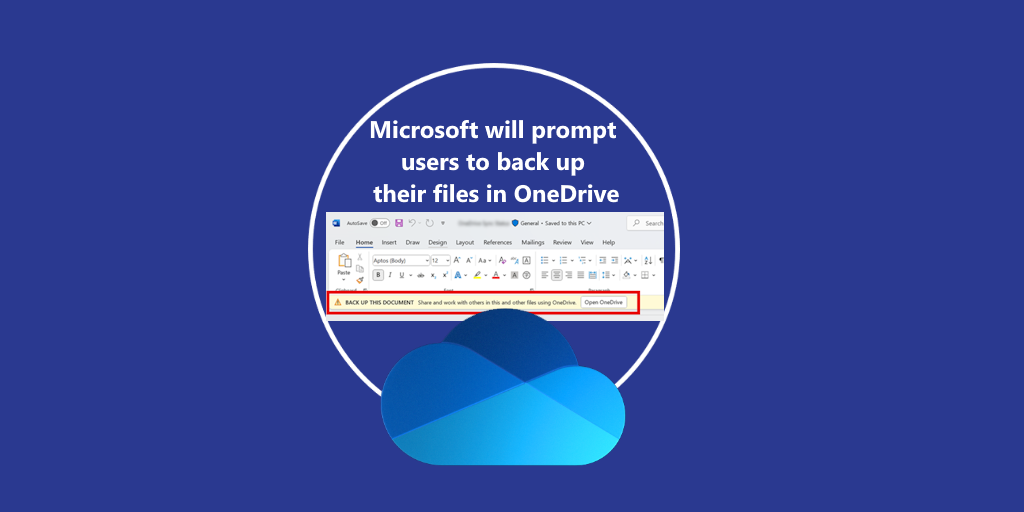
Microsoft is rolling out an update to Microsoft 365 apps designed to improve user data protection and cloud productivity by encouraging users to back up their files to OneDrive. Replacing message MC1024398, this updated communication—MC1053121—announces a new in-app experience that nudges users of Microsoft Word, Excel, and PowerPoint on Windows desktops to enroll in OneDrive Known Folder Move (KFM).
This change reflects Microsoft’s continued commitment to a cloud-first, collaborative, and secure working environment, directly integrated into the tools people already use every day.
🚀 What’s Changing?
Starting mid-April 2025 (Public Preview) and expanding into full General Availability in early May through mid-June 2025, users will begin to see a prompt in the Message Bar just below the toolbar. The prompt will say:
“BACK UP THIS DOCUMENT: Share and work with others in this and other files using OneDrive.”
This prompt will appear for eligible users not currently enrolled in Known Folder Move and aims to ease them into protecting and syncing their most critical folders: Desktop, Documents, and Pictures.

🔐 Why It Matters: Benefits of KFM
Once users enroll in Known Folder Move, files within the selected folders gain the full suite of OneDrive’s cloud capabilities:
- Enterprise-grade security & compliance
Files become part of your organization’s security ecosystem—applying CLP (classification, labeling, and protection) policies automatically. - Copilot integration
Copilot (for licensed users) can now access and work with backed-up files, enhancing productivity with intelligent suggestions and automation. - Seamless collaboration
Sharing, commenting, and real-time editing become easier and safer with AutoSave enabled by default. - Anywhere access
Synced content is available across Windows, macOS, web, iOS, and Android—with offline access and version history. - Reliable backup
Backing up via OneDrive protects against device failure and accidental deletion, ensuring business continuity.
⚙️ Deployment Details
| Phase | Timeline |
|---|---|
| Public Preview | Mid-April to Late April 2025 |
| General Availability | Early May to Mid-June 2025 |
No manual action is required for deployment—this update will roll out automatically to eligible users.
🧠 Admin Considerations
If your organization currently blocks KFM or doesn’t provision OneDrive to all users, the prompt will not appear. Additionally, a new policy gives you granular control:
- 🛑 Restrict KFM from Office Policy
Admins can deploy this policy (available in Office Administrative Template version 5497.1000+) to block the prompt from Office apps without affecting broader OneDrive or KFM configurations.
Prompt will not display if:
- User is already enrolled in KFM
- OneDrive is not installed or running
- Existing Group Policy blocks KFM Wizard
- New “Restrict KFM from Office” policy is enabled
✅ What You Should Do Next
- Review your current configuration: Check whether KFM is enabled or blocked across your user base.
- Educate users: Explain the benefits of OneDrive and cloud backups using internal communication or support documentation.
- Update internal policies and documentation: Reflect these changes and new policies in your IT management guides.
- Deploy new policy if needed: If you want to suppress the Message Bar prompt, use the newly available “Restrict KFM from Office” Group Policy.
📘 Learn More
- Redirect and move Windows known folders to OneDrive
- Use OneDrive policies to control sync settings
- Download Administrative Template Files (ADMX/ADML) for Microsoft Office
Entdecke mehr von Hans Brender's Blog
Melde dich für ein Abonnement an, um die neuesten Beiträge per E-Mail zu erhalten.

 Hans Brender's Blog